
Dashboard
One view for store performance, compliance, and action points.
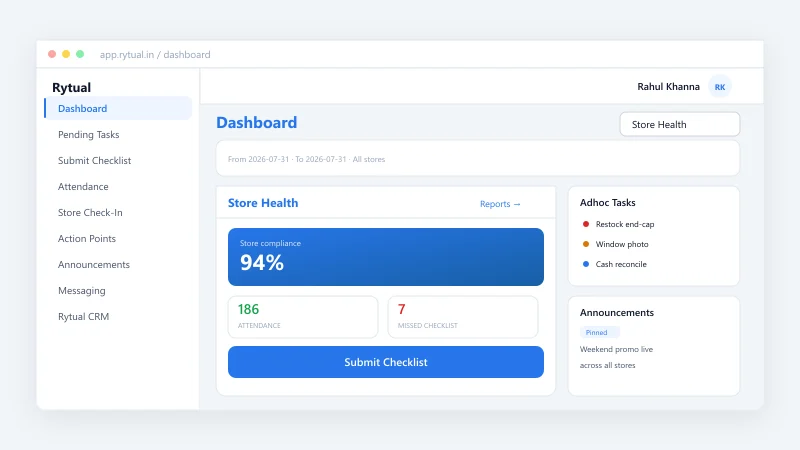
What is the Dashboard?
The Rytual Dashboard is your operations command centre. It shows how each store is performing on daily checklists, compliance, and action points — with filters by store, checklist type, department, and date range. Summary metrics and circular gauges give you fill rate and compliance rate at a glance; you can export all data to CSV for deeper analysis or reporting.
Key features
- Fill rate by store — Percentage of days (or period) when checklists were submitted.
- Compliance rate by store — Percentage of compliant answers vs total tracked answers.
- Action points overview — Counts by status and department, plus on-time completion rate.
- Filters — Multi-select, searchable filters for status, checklist type, department, and store.
- Export to CSV — Download header and summary data for the selected filters and period.
Benefits for retail
- Spot underperforming stores quickly and prioritise support or training.
- Track compliance and fill rates over time to improve consistency.
- Use action points completion rate to ensure follow-ups are done on time.
- Share clear, exportable reports with regional or head-office teams.